
YieldScout
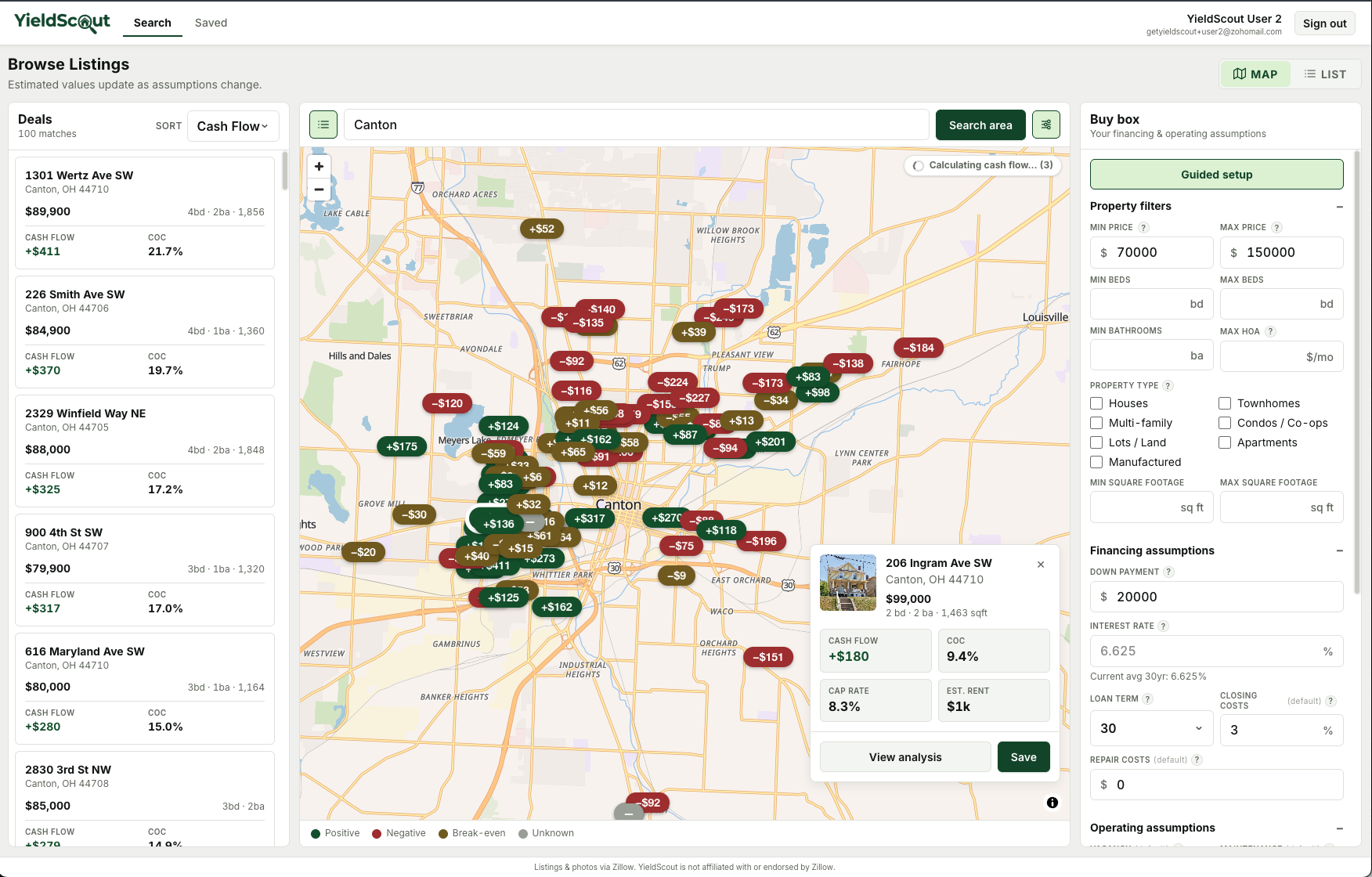
A real-estate investor deal-discovery app that surfaces estimated cash flow directly on map markers and list rows, so investors can spot cash-flowing properties without scrolling listing portals. Built as a pnpm + Turborepo monorepo with a React SPA and a NestJS API that share a generated end-to-end tRPC type contract, backed by PostgreSQL and Drizzle ORM with Redis/BullMQ background workers and better-auth for authentication. Currently a private closed alpha.
Demo Video
Tech stack
- Client: React 19, TanStack Router, TanStack Query, Zustand, Base UI, Tailwind CSS v4, MapLibre, Vite
- Server: NestJS 10, Express, nestjs-trpc, Drizzle ORM, Better Auth, Zod, neverthrow
- Data: PostgreSQL, Redis + BullMQ
- Infra: pnpm workspaces, Turborepo, Docker, Vitest
Design decisions
- Vendor data is an evictable cache, not a system of record. Listing rows are shared between users and swept on a retention schedule, so saving a property copies a frozen snapshot rather than foreign-keying into the cache. Cache eviction can never touch user-owned data.
- Underwriting assumptions freeze at save. A saved property captures the user's financing and operating assumptions at the moment of saving, so its cash flow stays a stable artifact instead of silently re-pricing every time the search filters change.
- Enrichment progress streams over SSE. Rent estimation is slow and per-property, so metrics push to the client through a tRPC subscription as they resolve rather than blocking the initial map render.
- Every vendor sits behind a provider boundary. Persistence stays vendor-neutral so the data source can be swapped without touching domain logic.